



Keep your whole team in the loop, automatically
We're excited to announce Set Watchers, a new feature in the Tasking Dashboard that lets you bring the right people into your order updates from the moment an order is created.
What it is
When you create a Tasking order, you can now specify additional email addresses that should receive notifications as that order progresses. The people you designate are automatically kept informed at every stage of the order lifecycle, right alongside you.
Why it matters
- Stop manually relaying status emails to colleagues. Everyone who needs an update gets it the moment it happens.
- Key stakeholders stay in sync automatically, so your team can act on order progress without waiting to be looped in.
- Updates reach exactly who should be receiving them — and no one else.
How to use it
- Start creating a Tasking order as you normally would.
- In the order creation flow, add the email addresses of the colleagues you'd like to keep informed.
- Submit your order — your watchers will automatically receive order-progress notifications going forward.
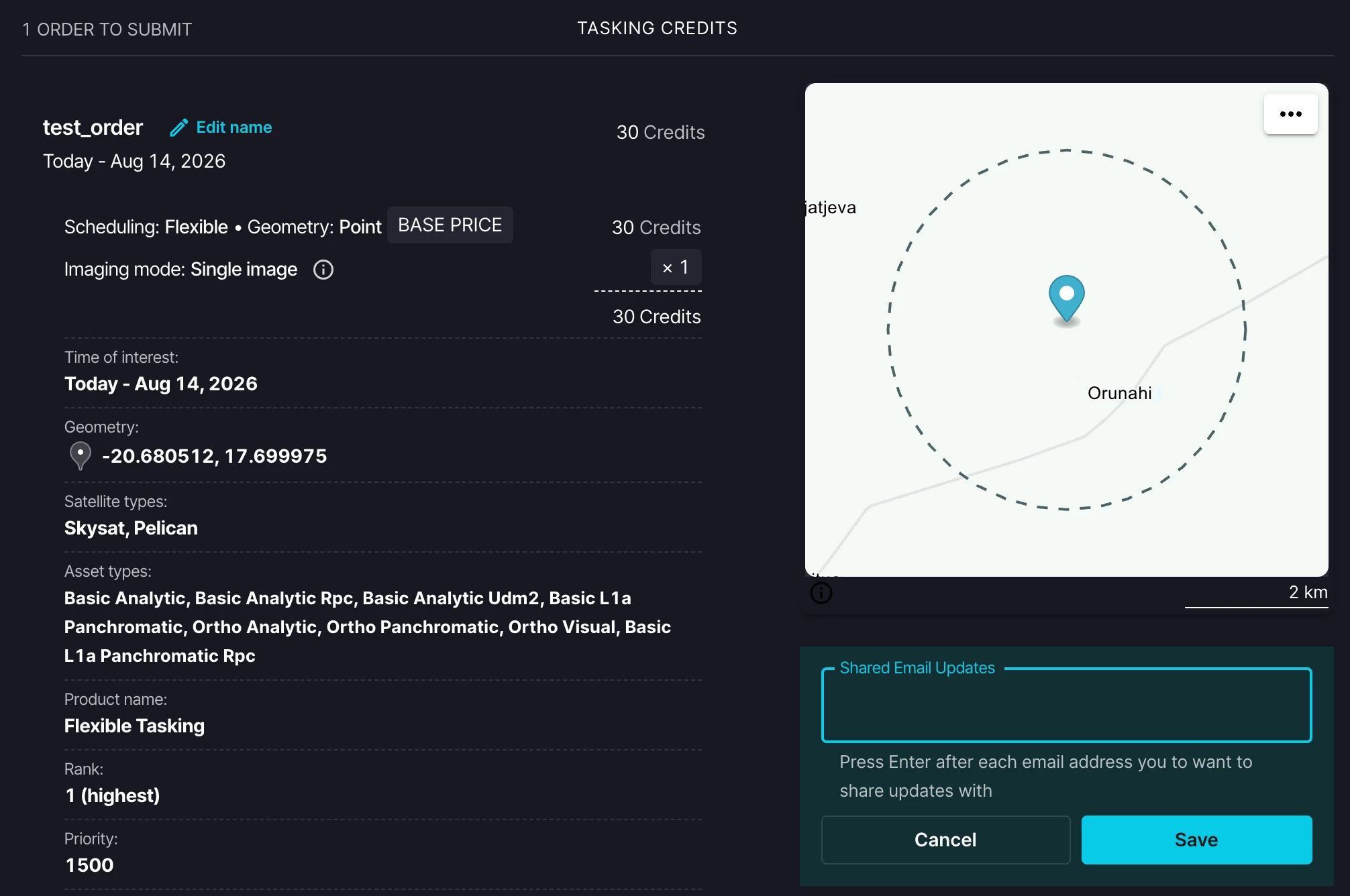
A few helpful details:
- Watchers must have a Planet account within your organization and access to Tasking, so updates only ever reach authorized people.
- The emails will be sent from “noreply@planet.com”.
Built with security and privacy in mind
This feature was developed with rigorous security review. To protect user data, the Dashboard does not expose any email validation or confirm whether a given address exists — you'll simply see a message confirming that notifications will be sent to eligible users. This keeps email addresses private while ensuring updates reach the right people.
We'd love to hear how Set Watchers fits into your workflow and any feedback you have for us.