




Kapa MCP product announcement
Did you know that you can use AI to ask your Planet related questions?!?!
Using the Ask AI button on Planet Community, Planet Documentation, Help Center, Planet University, and Publications Database, you can search your question and it will sift through hundreds of documentation pages, Community results, help center articles, and more!
Learn more by watching this how- to video!
Now a Model Context Protocol (MCP) Server is available to make asking AI even easier!
If you’re deep in your codebase, context-switching kills flow. You hit a question and suddenly you're tab-hopping to a site to ask AI to get your answer.
With the MCP, you just ask your AI coding assistant. Behind the scenes, it queries the same resources & materials and returns grounded, cited answers. No context switch. No guesswork.
How to install:
Simply click the Ask AI widget mentioned on any of the sites previously.
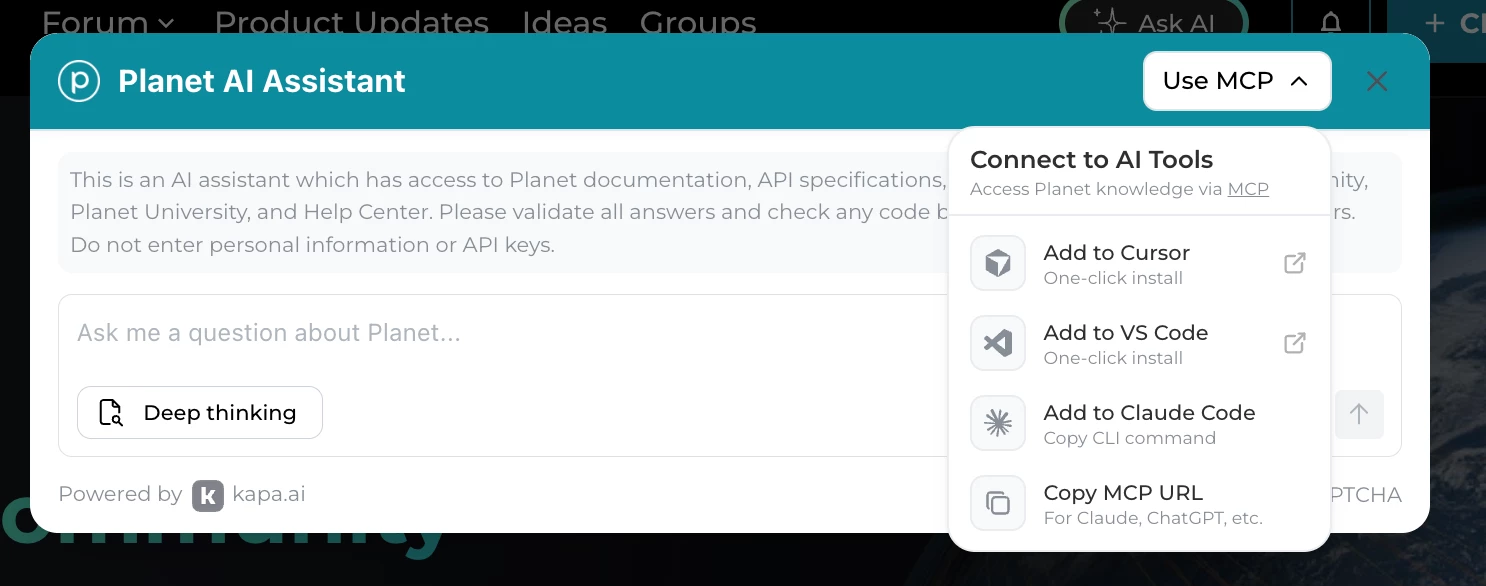
Then reveal the MCP dropdown and here are the listed AI tools you can connect to.
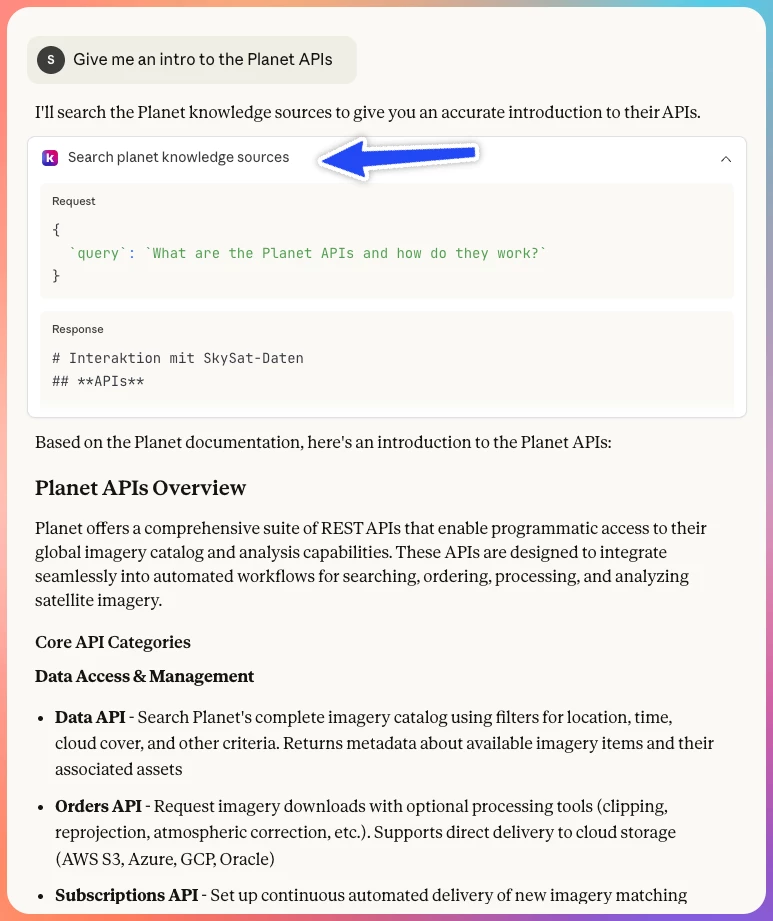
Here is an example of how it might look:
MCP is supported by most major AI coding tools, including:
- Cursor - Add MCP servers in Settings → MCP
- Claude Desktop - Configure in Settings → Custom Integrations or via config file
- Claude Code - Run claude mcp add from the terminal
- VS Code (with Copilot) - Configure in settings.json
- Windsurf - Add to mcp_config.json
- ChatGPT Desktop - Via the Apps & Connectors settings
