




We have released an experimental Model Context Protocol (MCP) Server to bridge the gap between Large Language Models (LLMs) and Planet Insights Platform.
This open-source tool allows AI agents—such as Claude for Desktop—to interface directly with Planet’s APIs. Instead of writing Python scripts for routine checks, you can now use natural language to search the catalog, preview imagery, and manage orders.
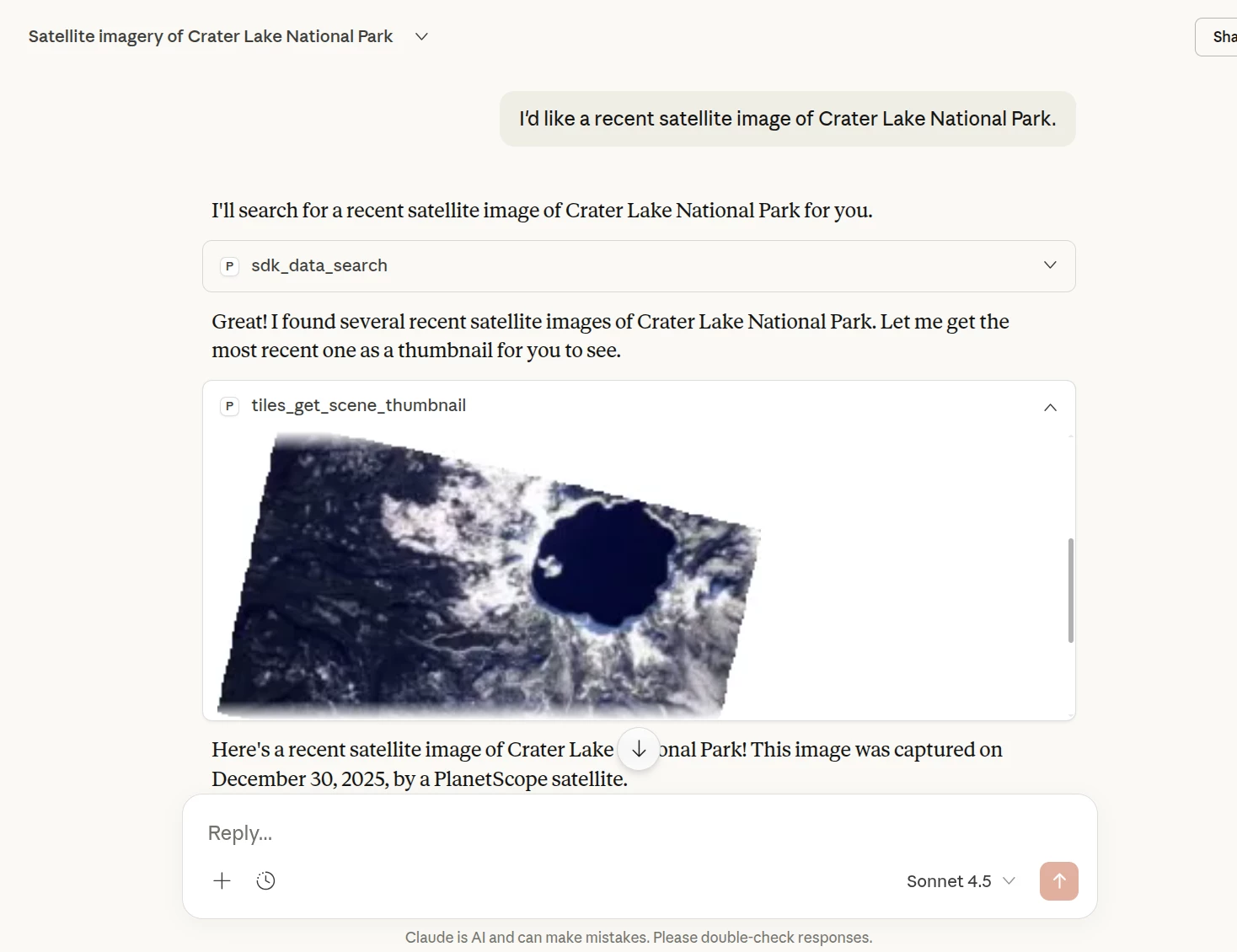
Example of Claude Desktop using the Planet MCP server to find imagery.
How it Works
The server runs locally on your machine and uses your existing Planet SDK credentials. It translates natural language prompts into structured API calls, allowing your AI agent to act as a "copilot" for geospatial workflows.
Core Capabilities in Beta
- Natural Language Search: Query the Data API using descriptive text (e.g., "Find PlanetScope imagery over Chicago from last week with <10% clouds").
- Visual Previews: Request and view thumbnails directly in your chat interface before ordering.
- Asset Ordering: Trigger standard order workflows for visual bundles and other assets without leaving the conversation.
- Feature Management: Interact with your saved Feature Collections to define Areas of Interest (AOIs).
Getting Started
This project is currently in Beta and considered experimental software. We are looking for developer feedback on capabilities (e.g., statistical analysis, spectral visualization) you would like to see next. Please note that the MCP Server is provided without a guarantee of persistence or long-term support and may be modified or discontinued.
- Repository: github.com/planetlabs/planet-mcp
- Setup: Follow the README to configure the server with Claude Desktop or other MCP-compliant clients.
