




Automated Delivery for Pelican, SkySat and Tanager Tasking orders can now also deliver captures as direct download links in the Tasking Dashboard. Customers without a cloud storage bucket due to technical requirements or regulatory mandates can now download their imagery directly.
How it works
When a capture is ready, a download link is generated automatically and appears in the Tasking Dashboard alongside the capture. There is no destination to configure.
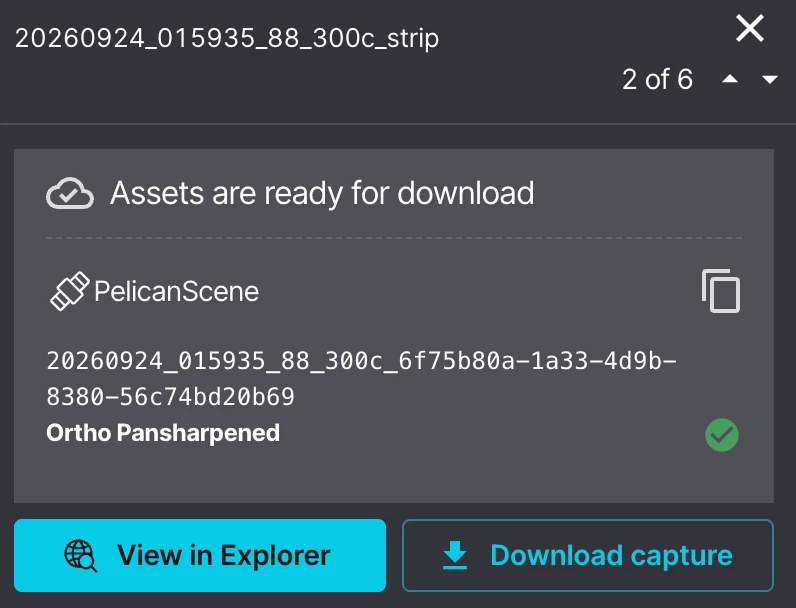
Each capture arrives as a single zip containing the image, its UDM, and its metadata. Links stay valid for 14 days, matching the asset retention period, and you can download a capture as many times as you need within that window. After 14 days, you can download the same using existing methods of image download using Planet Explorer.
You can download assets up to 4 GB in size. We plan to increase this in the future.
Getting started
You can enable or disable Automated Delivery at any time from your Tasking Dashboard settings. You can choose to get your assets delivered via cloud destination or via direct download link.
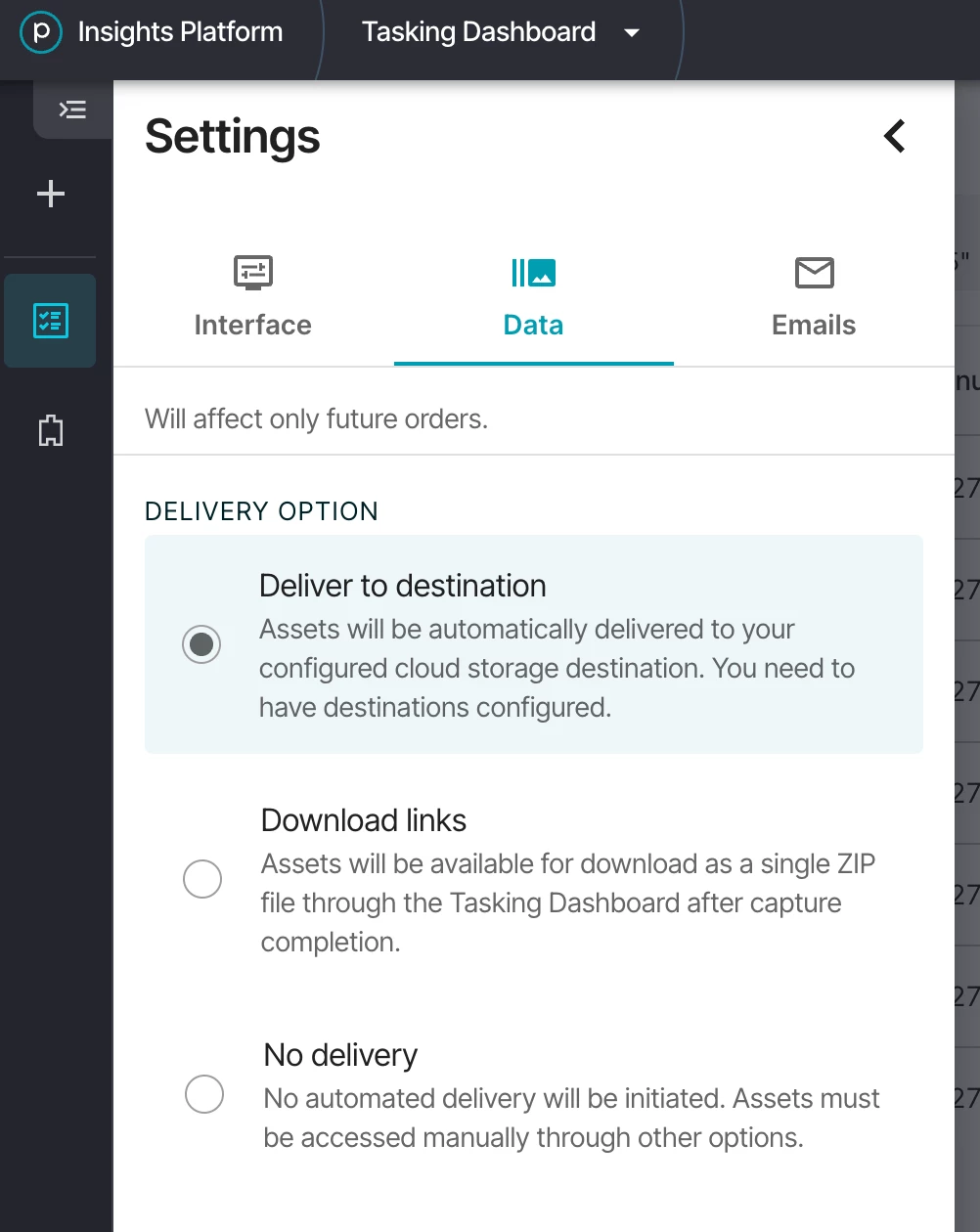
Learn how to create an order using Automated Delivery in Planet Docs.
Need Help?
Our team is here to support you at Planet Support.