




Streamlining the Archive Tasking Workflow
We're sharing an update to how you discover and purchase archive imagery in Planet's Tasking Dashboard.
Starting today, we're releasing a redesigned Archive Tasking experience in Tasking Dashboard. You can now find archive imagery more easily and buy it through a single, consistent workflow.
You can still discover archive imagery in Tasking Dashboard, but you'll buy it in Planet Explorer. This means you get the latest search features we're building into Explorer. Ordering for Flexible and Assured tasking doesn't change.
Archive Discovery in Tasking Dashboard
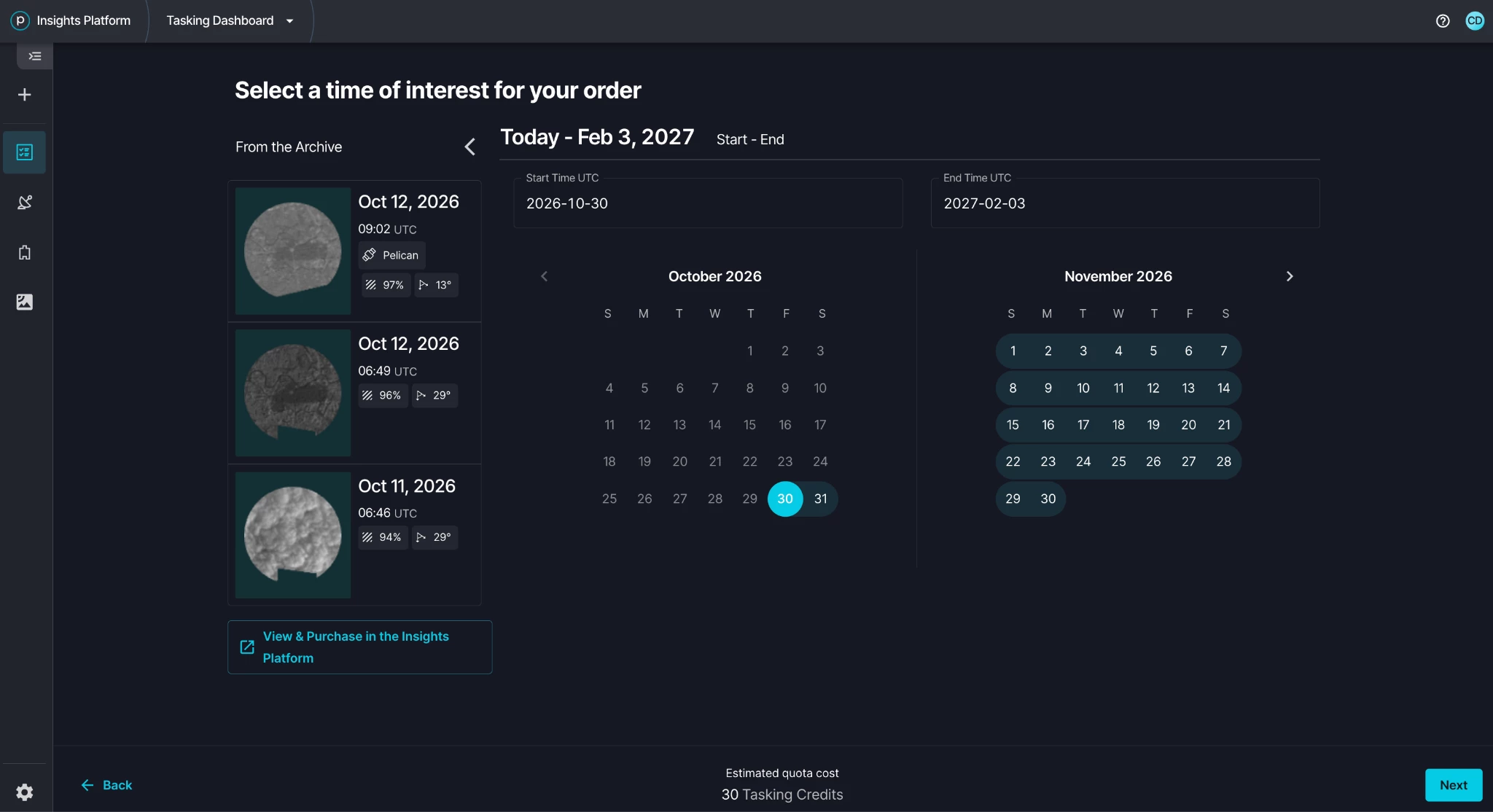
When you create a tasking order, Tasking Dashboard now shows the archive imagery available for your area of interest, with thumbnails, acquisition dates, and key metadata. This helps you decide whether to task new imagery or use an existing archive image.
Purchasing in Planet Explorer
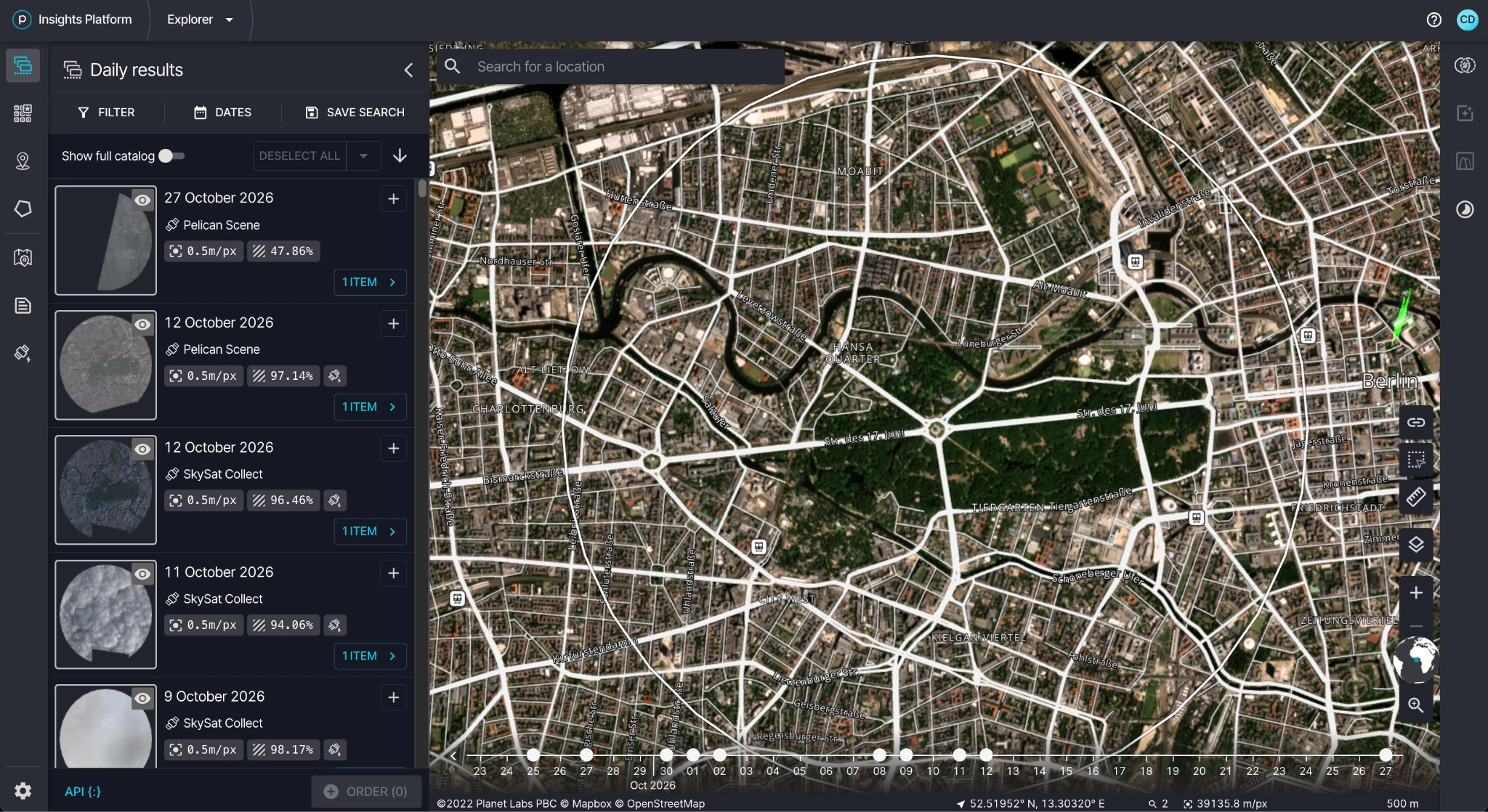
When you find archive imagery you want, select View & Purchase in Explorer. Planet Explorer opens with your area of interest already loaded.
Planet Explorer gives you:
- Better search and filtering.
- A modern, easy-to-use interface with advanced discovery tools.
- The same tasking credits you use today. Your credits work in Explorer automatically.
How It Works
- Click on + button to create your tasking order. After entering your location and TOI, you will get notified if archive imagery is available.
- Review archive options. Check the available archive imagery for your AOI in the order creation flow.
- Purchase in Explorer. Select View & Purchase in Explorer, refine your search, and complete your purchase with your tasking credits.
- Access your imagery. Download your imagery through Explorer or the API, the same way you would any Planet order.
Need Help?
Our team is here to support you at Planet Support (support.planet.com).
We believe this update will give you a better, more consistent experience across Planet's imagery platform. Thank you for being a valued Planet customer.
