Can i download the NDVI data at 10m spatial resolution in .img and 32 bit format ?

- Home
- Community overview
- Develop
- Analysis APIs
- Info on ndvi download
Info on ndvi download
- April 26, 2024
- 14 replies
- 137 views
14 replies
- April 26, 2024
You can download in GeoTiff in 32 bit
https://www.sentinel-hub.com/develop/documentation/api/output-formats
- Author
- April 26, 2024
I have been facing problem for download NDVI , The pixel size are not same for different area download though i specify the image resolution.
- April 26, 2024
Please provide the request you are using to download the image.
Do mask the last half of the instance ID to avoid other people using it.
- Author
- April 26, 2024
wcs_bands_request = WcsRequest(data_folder=‘DATA_FOLDER’,
layer=‘NDVI_WMS_FLOAT’,
bbox=betsiboka_bbox,
time=(‘2018-10-01’,‘2019-04-30’),
resx=‘10m’, resy=‘10m’,
image_format=MimeType.TIFF_d32f,
instance_id=INSTANCE_ID)
- April 26, 2024
We do still need to know part of the instance ID so that we can see, what is happening.
- Author
- April 26, 2024
INSTANCE_ID = ‘’
import itertools
import numpy as np
from shapely.geometry import shape, Polygon, MultiPolygon, MultiLineString
from sentinelhub import MimeType, BBox, read_data,WmsRequest, WcsRequest, CRS, DataSource
INPUT_FILE = ‘.json’
geo_json = read_data(INPUT_FILE)
h_area = shape(geo_json[“features”][0][“geometry”])
type(h_area)
jsoninput_coords_wgs84 = h_area
area_bbox = BBox(bbox=jsoninput_coords_wgs84, crs=CRS.WGS84)
wcs_bands_request = WcsRequest(data_folder=‘data_folder’,
layer=‘NDVI_WMS_FLOAT’,
bbox=area_bbox,
time=(‘2018-10-01’,‘2018-12-31’),
resx=‘10m’, resy=‘10m’,
image_format=MimeType.TIFF_d32f,
instance_id=INSTANCE_ID)
wms_ndvi_img = wcs_bands_request.get_data()
get_ipython().run_cell_magic(‘time’, ‘’, ‘wms_ndvi_img = wcs_bands_request.get_data(save_data=True)’)
- April 26, 2024
In your example, the instance ID is empty, so you will not get any data whatsoever…
We need something like
INSTANCE_ID = 05dc4836-c391-MASKED
- Author
- April 26, 2024
INSTANCE_ID = ‘5ba122b9-4647 MASKED’
import itertools
import numpy as np
from shapely.geometry import shape, Polygon, MultiPolygon, MultiLineString
from sentinelhub import MimeType, BBox, read_data,WmsRequest, WcsRequest, CRS, DataSource
INPUT_FILE = ‘.json’
geo_json = read_data(INPUT_FILE)
h_area = shape(geo_json[“features”][0][“geometry”])
type(h_area)
jsoninput_coords_wgs84 = h_area
area_bbox = BBox(bbox=jsoninput_coords_wgs84, crs=CRS.WGS84)
wcs_bands_request = WcsRequest(data_folder=‘data_folder’,
layer=‘NDVI_WMS_FLOAT’,
bbox=area_bbox,
time=(‘2018-10-01’,‘2018-12-31’),
resx=‘10m’, resy=‘10m’,
image_format=MimeType.TIFF_d32f,
instance_id=INSTANCE_ID)
wms_ndvi_img = wcs_bands_request.get_data()
get_ipython().run_cell_magic(‘time’, ‘’, ‘wms_ndvi_img = wcs_bands_request.get_data(save_data=True)’)
- April 26, 2024
I check our logs for one of the requests, e.g. this one:
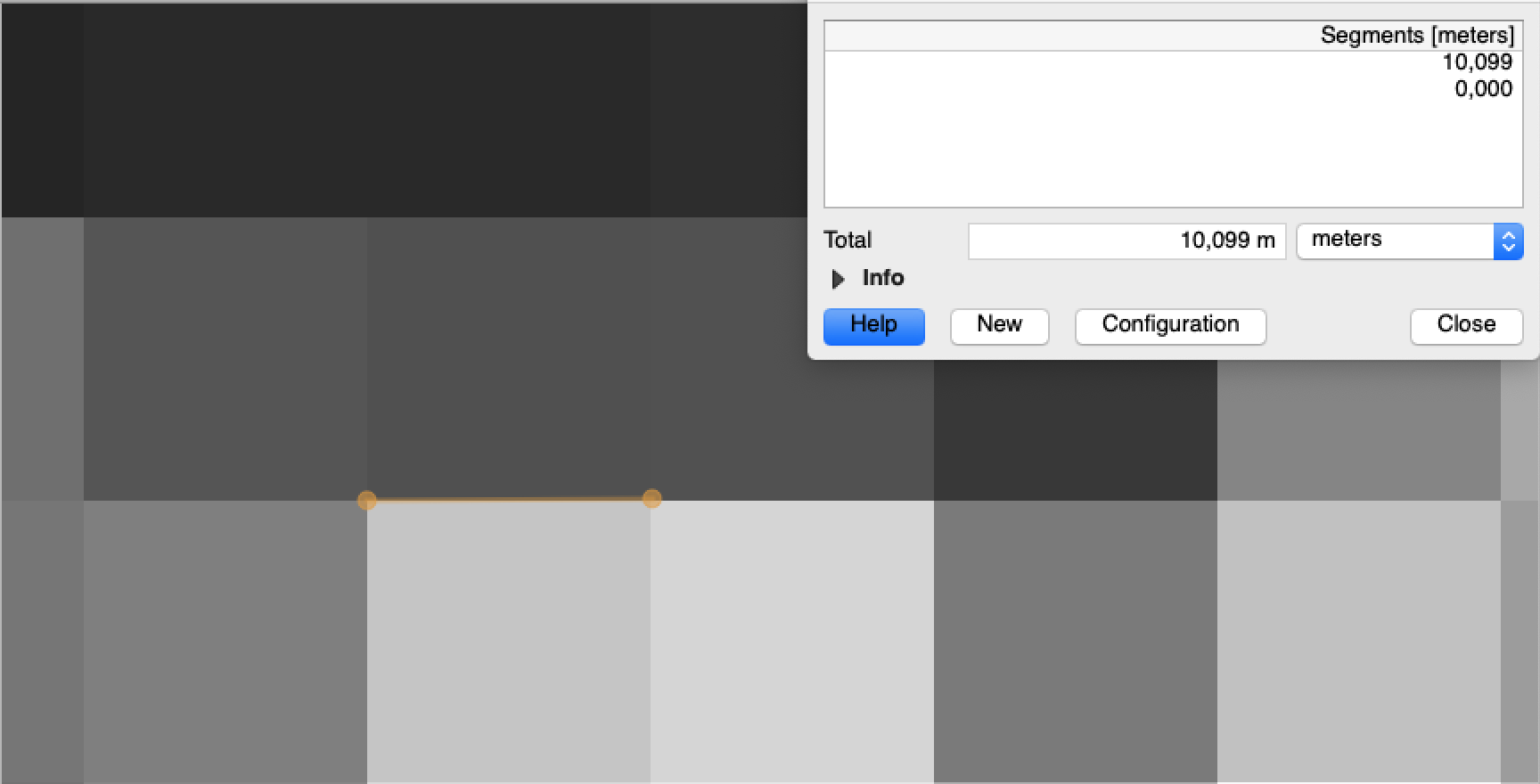
The returned image was in 10 meter resolution as it should be:
Might it be that you reproject the results in some other coordinate system? Which would obviously impact the resolution…
With the data you have provided we cannot reproduce the problem.
Please send an example of problematic request URL and the result from the service.
- Author
- April 26, 2024
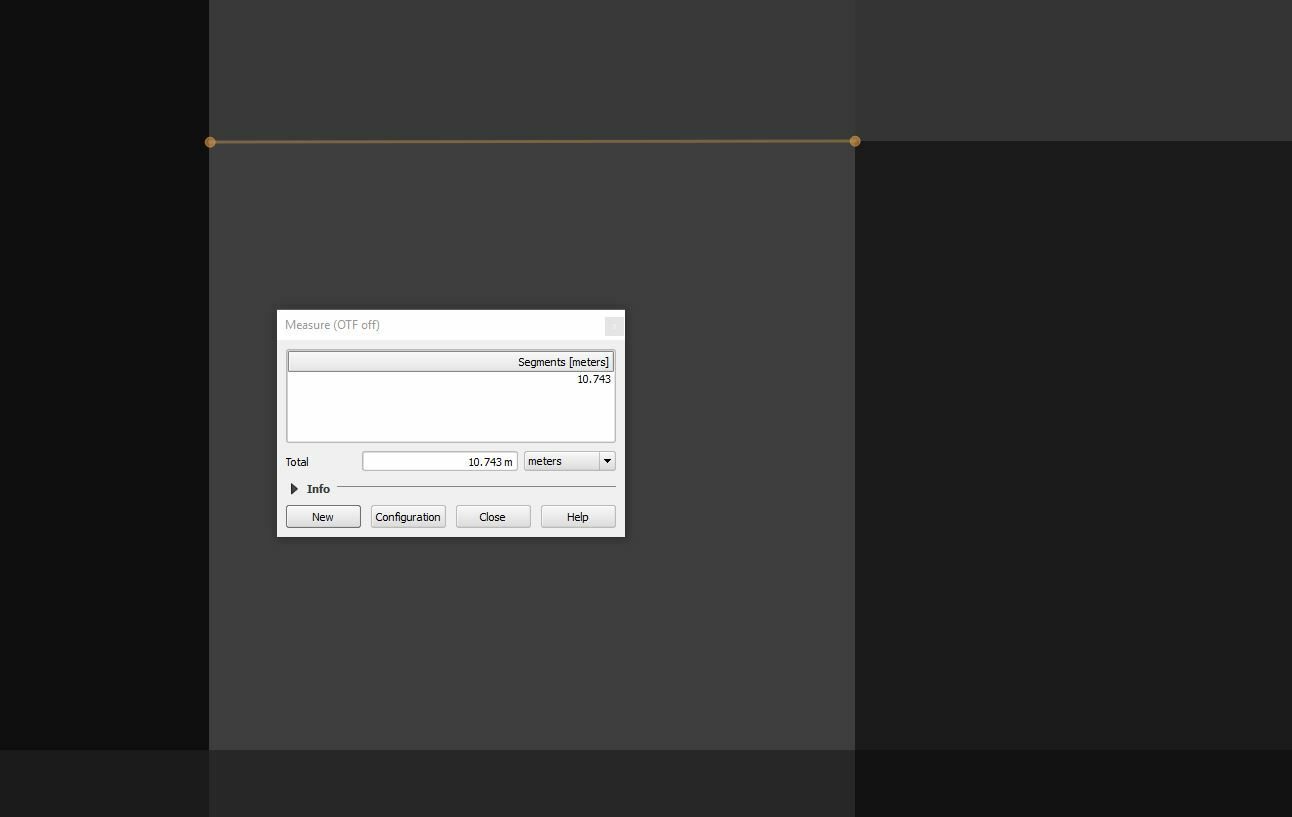
After download i am using the data without re projecting it, but it gives us 10.743 m resolution and it is different in some other place. I am attaching the source code and a particular location please check it .
INSTANCE_ID = ‘5ba122b9-4647-MASKED’
import itertools
import numpy as np
from shapely.geometry import shape, Polygon, MultiPolygon, MultiLineString
from sentinelhub import MimeType, BBox, read_data,WmsRequest, WcsRequest, CRS, DataSource
b_area_coords_wgs84 = [74.132275, 20.780646, 74.135565, 20.778640]
area_bbox = BBox(bbox=b_area_coords_wgs84 , crs=CRS.WGS84)
wcs_bands_request = WcsRequest(data_folder=‘data_folder’,
layer=‘NDVI_WMS_FLOAT’,
bbox=area_bbox,
time=(‘2018-12-01’,‘2018-12-31’),
resx=‘10m’, resy=‘10m’,
image_format=MimeType.TIFF_d32f,
instance_id=INSTANCE_ID)
wms_evi_img = wcs_bands_request.get_data()
get_ipython().run_cell_magic(‘time’, ‘’, ‘wms_evi_img = wcs_bands_request.get_data(save_data=True)’)
- Author
- April 26, 2024
I have attached this file please check it.wcs_NDVI_WMS_FLOAT_EPSG4326_74.132275_20.77864_74.135565_20.780646_2018-12-31T05-43-03_10mX10m_tiff_depth=32f.tiff (3.0 KB)
wcs_NDVI_WMS_FLOAT_EPSG4326_74.132275_20.77864_74.135565_20.780646_2018-12-26T05-43-05_10mX10m_tiff_depth=32f.tiff (3.0 KB)
wcs_NDVI_WMS_FLOAT_EPSG4326_74.132275_20.77864_74.135565_20.780646_2018-12-06T05-43-04_10mX10m_tiff_depth=32f.tiff (3.0 KB)
- Author
- April 26, 2024
For a long time i didn’t got any answer from you. Sir if you kindly help me to get out of this problem, it will be very great full to me.
- April 26, 2024
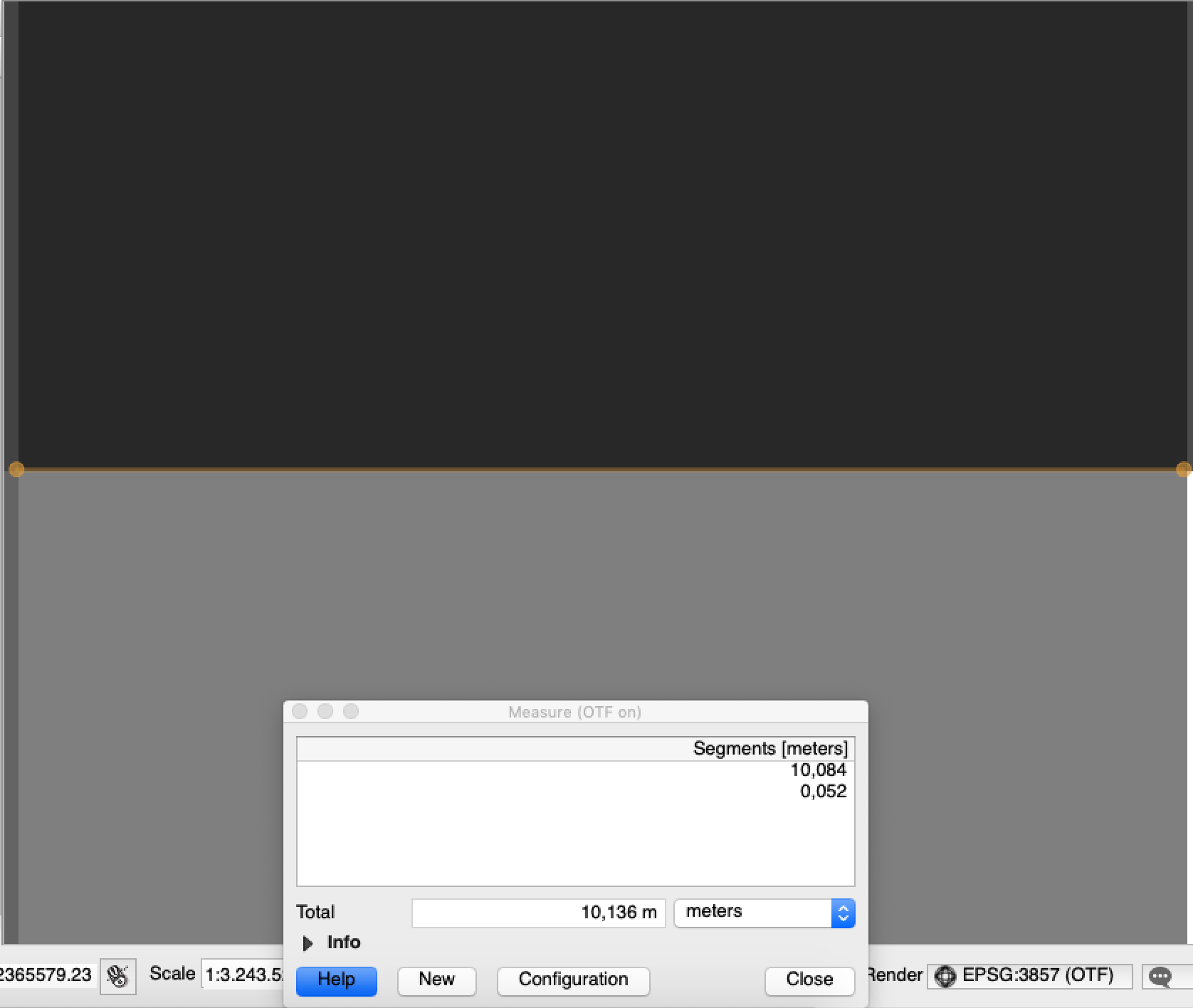
Opening the files you sent myself I get pixel size of 10.0X meters (depending on how accurate I click).
What you see is probably a rounding error when doing a reprojection from EPSG:4326 (the CRS of the raster files) and EPSG:3857 (where you are measuring the distance).
One way or another, there will always be small differences when performing reprojection.
If you want to get exactly 10 meters data, you need to use UTM projection (make sure you use the same datum as the scene is in).
Enter your E-mail address. We'll send you an e-mail with instructions to reset your password.
Scanning file for viruses.
Sorry, we're still checking this file's contents to make sure it's safe to download. Please try again in a few minutes.
OKThis file cannot be downloaded
Sorry, our virus scanner detected that this file isn't safe to download.
OK
©
2025
Planet Labs PBC. All rights reserved.
|
Privacy Policy
|
California Privacy Notice
|
California Do Not Sell
Your Privacy Choices
|
Cookie Notice
|
Terms of Use