I have activated my account and checked the community forum to find a way to download the images I need (20251227_104811_44_24d1). However, the API key I am using does not have download permissions. I have already searched the forum, but there is no information regarding this specific issue. Could you please clarify if my current subscription includes download access? If I cannot download images, this subscription does not meet my needs.

Solved
Download imagery


Best answer by elyhienrich
To others who are facing the same or similar issues:
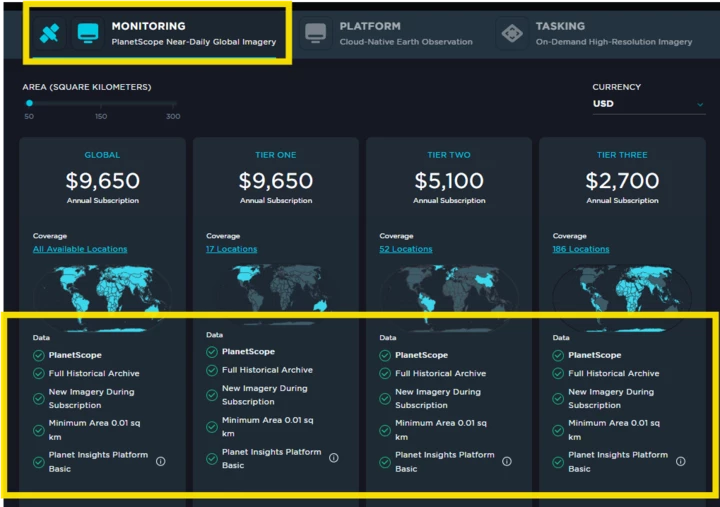
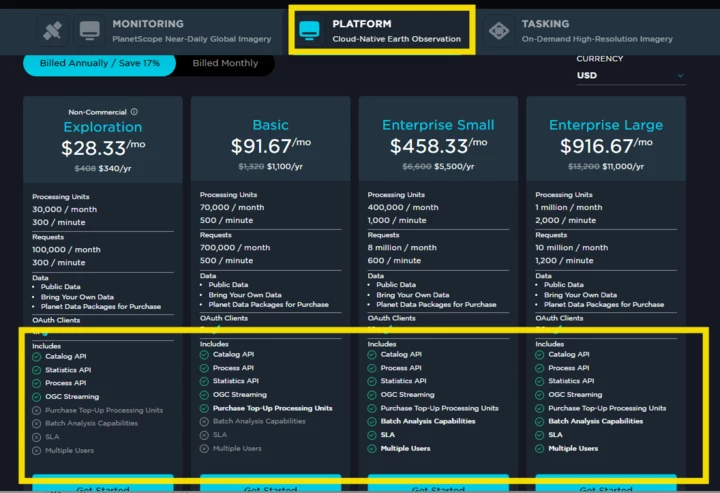
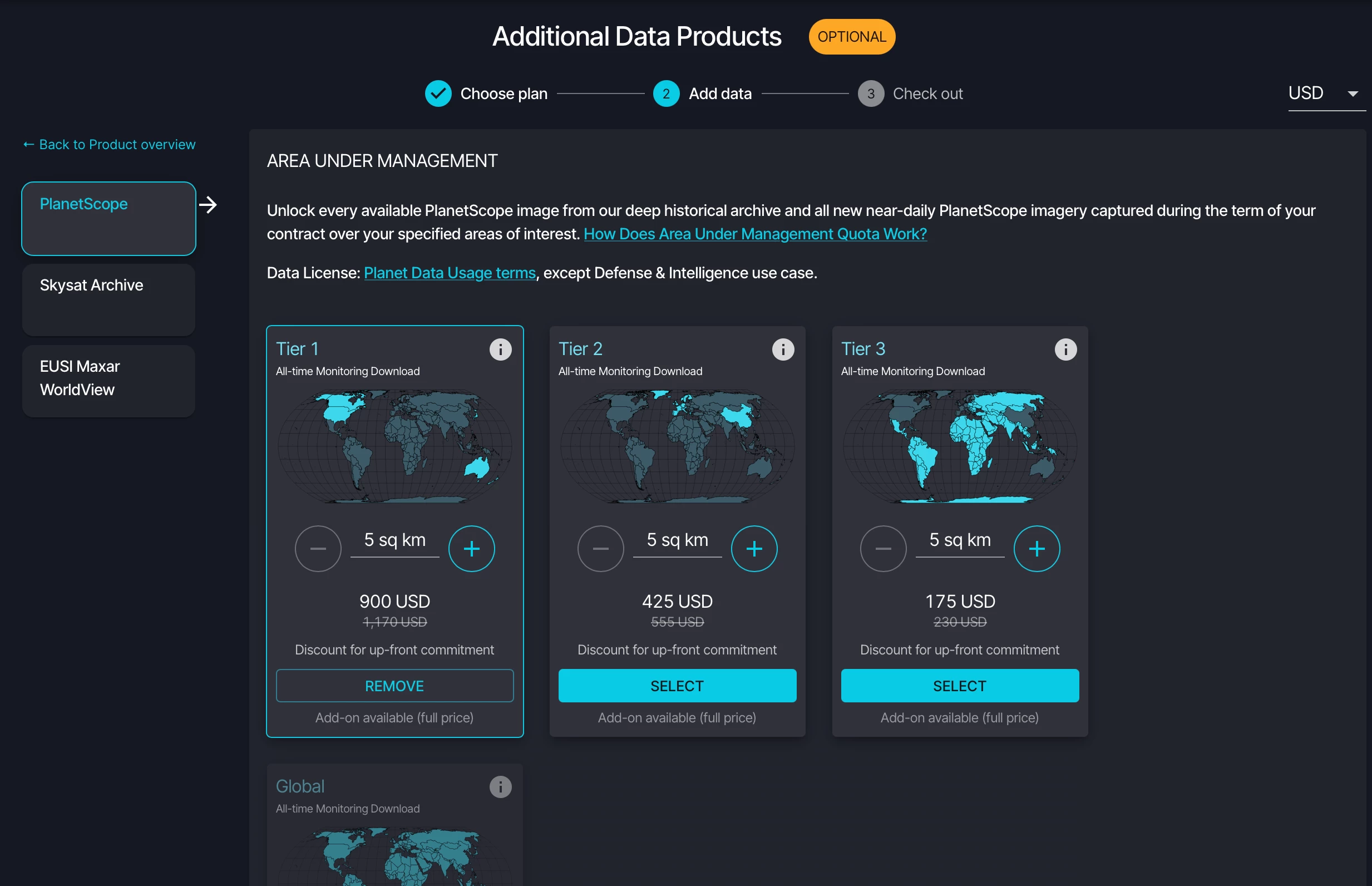
The Exploration (Platform) plan provides processing tools and access to open datasets (e.g., Sentinel‑2, Landsat), but it does not include download access to Planet’s high‑resolution commercial imagery (PlanetScope, SkySat). To download PlanetScope/SkySat, you must add a commercial imagery package (e.g., Monitoring/PlanetScope AUM tier) in your account’s billing/purchase section; once a AUM plan is active, the imagery options unlock.
Where to upgrade:
• Log in to your dashboard/billing and add an Imagery plan (choose the PlanetScope AUM tier you need).
For more details, see the official documentation:







Enter your E-mail address. We'll send you an e-mail with instructions to reset your password.
© 2026 Planet Labs PBC. All rights reserved.
| Privacy Policy | California Privacy Notice |California Do Not Sell
Your Privacy Choices | Cookie Notice | Terms of Use | Sitemap
